Unblock Websites Safely and Instantly
Access any blocked website in seconds. Fast, free and easy browsing.
No signup • Instant access • Free proxy
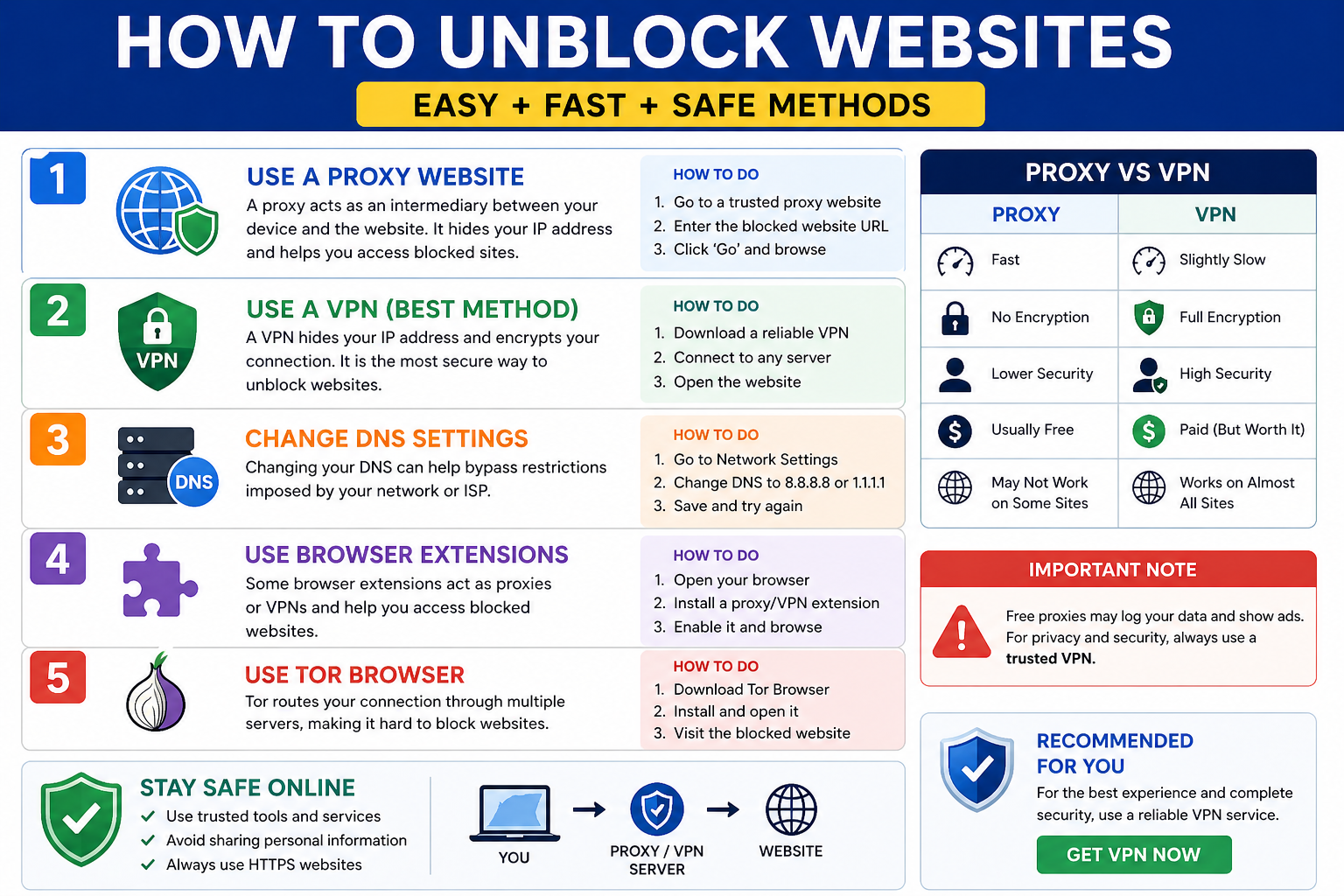
How to Unblock Websites
You can unblock websites by using a proxy server, VPN, DNS settings, or browser extensions. A VPN is the safest method because it encrypts your connection and protects your data.
Best Ways to Unblock Websites
1. Use a Proxy Server
A proxy server allows you to access blocked websites by routing your request through another server. It is fast and easy but does not provide full security.
Your activity may still be tracked on proxy.
2. Use a VPN
A VPN encrypts your internet connection and hides your IP address. It is the best option for safe and private browsing.
3. Change DNS Settings
You can use public DNS like 8.8.8.8 or 1.1.1.1 to bypass basic restrictions.
4. Use Browser Extensions
Extensions provide quick access but may have limited security features.
Proxy vs VPN
| Feature | Proxy | VPN |
|---|---|---|
| IP Masking | Yes | Yes |
| Encryption | No | Yes |
| Security | Low | High |
| Best Use | Quick access | Secure browsing |
Protect Your Privacy
Proxies do not fully protect your data. Use a VPN for complete security.
Is It Safe to Unblock Websites?
Unblocking websites is safe if you use trusted tools. Free proxies may expose your data. For full protection, always use a secure VPN.
Common Mistakes to Avoid
- Using unknown free proxies
- Entering personal data on unsafe sites
- Ignoring security warnings
FAQs
How can I unblock websites?
Use proxy, VPN, or DNS settings.
Is it safe?
Safe with VPN, risky with free proxies.
Do I need installation?
No, proxy works in browser.